Adjust RAID Rebuild Speed in Linux
When a disk within a RAID array fails, manual rebuilding becomes a crucial process to restore the integrity and redundancy of the system. However, this task can be notoriously slow, resulting in prolonged periods of downtime and decreased system productivity.
In this tutorial, we will explore how to adjust the rebuild speed on a RAID system in Linux. This adjustment will allow you to optimize system performance and minimize downtime in the event of a disk failure within the RAID array.
First, we will check the current rebuild speed with the following command:
- cat /proc/mdstat
The output will look similar to this:
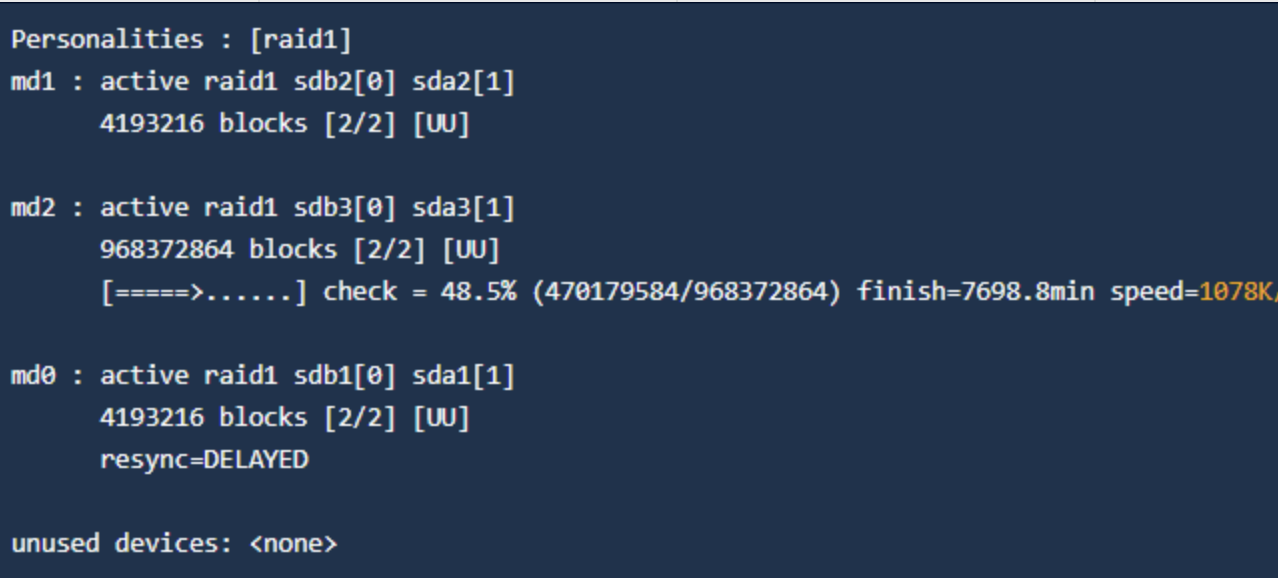
In this example, the speed is 1078 Kbps. We can adjust the minimum and maximum speed, taking into account the hard drive's capabilities.
Maximum Speed
Edit the file with the following command:
- nano /proc/sys/dev/raid/speed_limit_max
A suitable value could be "200000", which would set a speed of 20 MB/s.
Minimum Speed
Edit the file with the following command:
- nano /proc/sys/dev/raid/speed_limit_min
A suitable value would also be "100000", to set a minimum speed of 10 MB/s.
Results
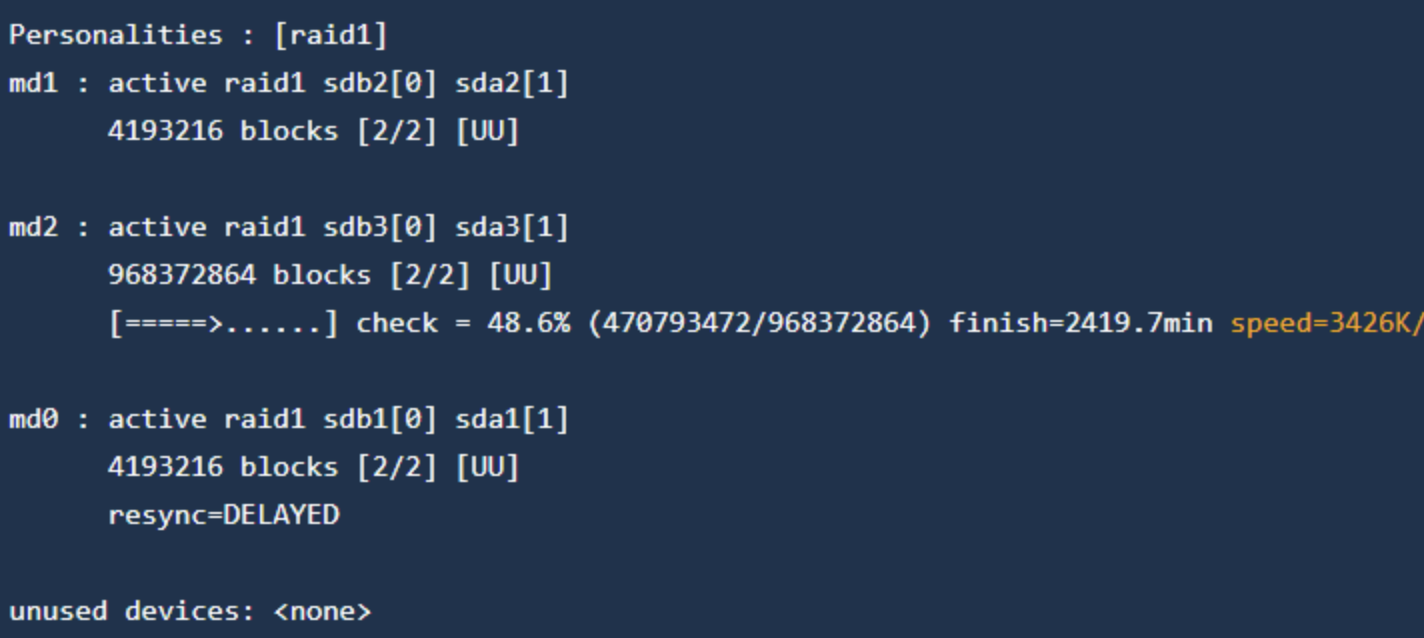
Once the changes are saved, we can verify the speed again with:
- cat /proc/mdstat
We verify that the speed has increased. If you need a higher or lower speed, you can adjust the value, keeping in mind that this will affect the CPU and hard drive performance.
Adjusting the rebuild speed on a RAID system in Linux provides an effective solution to improve performance and reduce downtime in disk failure situations.
By optimizing the rebuild speed, system administrators can minimize the impact on system productivity and availability, resulting in a better experience for end users. This adjustment is especially useful in enterprise environments where business continuity is critical and any downtime can be costly.
Additionally, this command provides flexibility and control to system administrators, allowing them to adapt the rebuild speed according to the specific needs of the storage environment and the system's workload.
By adjusting the rebuild speed on a RAID system in Linux, you can achieve greater operational efficiency, higher system availability, and a better end-user experience.