Webzi AntiSpam Service Configuration
If you have already activated the Webzi AntiSpam service, it is essential to review some key settings to ensure its effectiveness.
If you have not yet subscribed to the AntiSpam service, click If you have already activated the Webzi AntiSpam service, it is essential to review some key settings to ensure its effectiveness.
If you have not yet subscribed to the AntiSpam service, click here to do so now.
MX Zones Update
In most cases, the AntiSpam service is activated automatically once you purchase a hosting plan at Webzi. However, if you prefer to configure it manually or use an external provider, you must configure the following options in your MX zones:
| Domain | MX Server | Priority | TTL |
|---|---|---|---|
| tudominio.com | mx.spamexperts.com. | 10 | 120 |
| tudominio.com | fallbackmx.spamexperts.eu. | 20 | 120 |
| tudominio.com | lastmx.spamexperts.net. | 30 | 120 |
It is crucial to remove any other MX zone entry on your domain. If your service is subscribed with Webzi, feel free to contact us for assistance with this configuration.
Start Using Your Service
Webzi’s AntiSpam service is an efficient and fully automated solution to fight spam. Since it is based on artificial intelligence, once activated, you can forget about it forever.
However, in some cases it may be necessary to add special rules or “train” the artificial intelligence to adapt it to your specific email needs during the first weeks of use.
Quarantine Email Management
When Webzi’s AntiSpam service detects an email that could be classified as spam but is not completely certain, the message is placed in a quarantine inbox for review.
To access this inbox:
1. Change the AntiSpam interface language, if needed.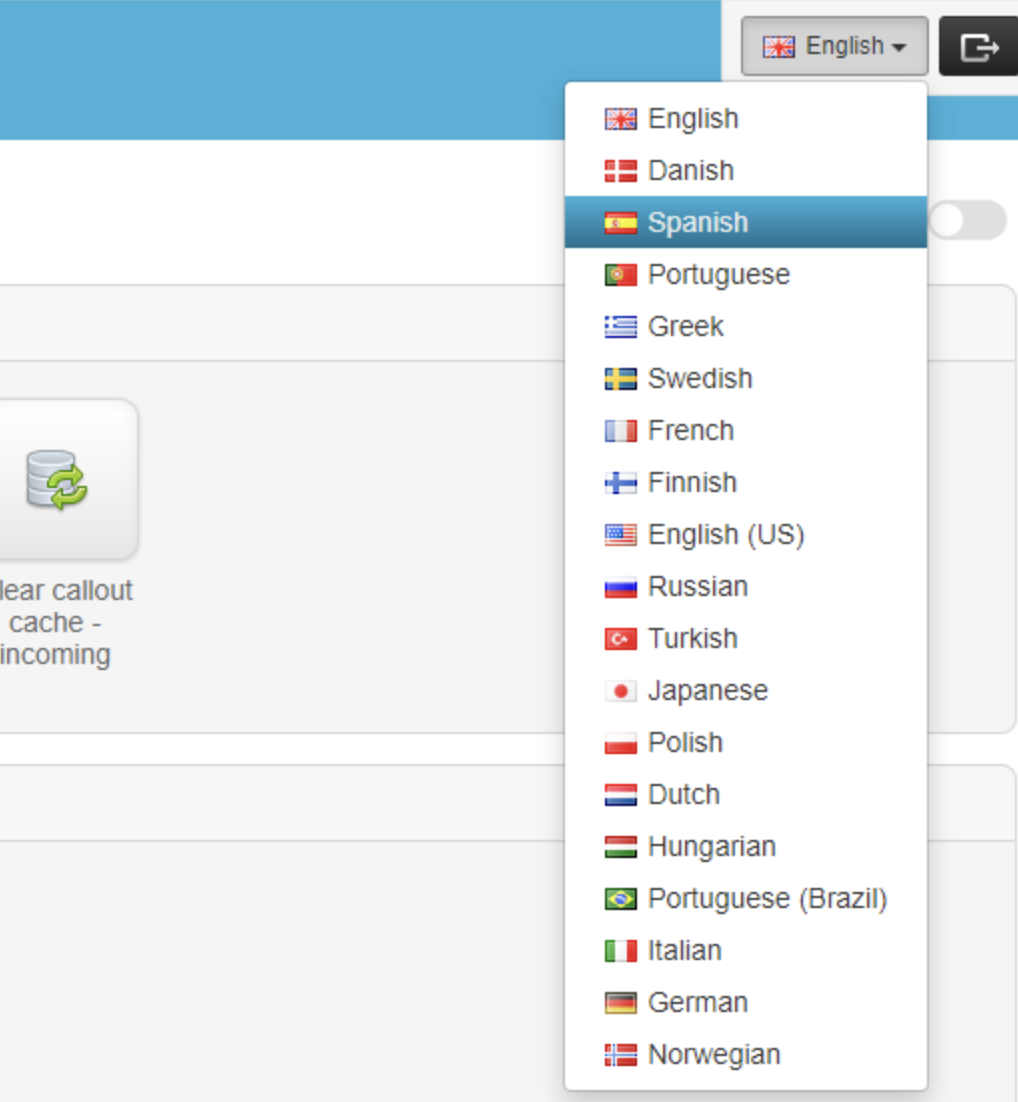
2. Search for the quarantined email.
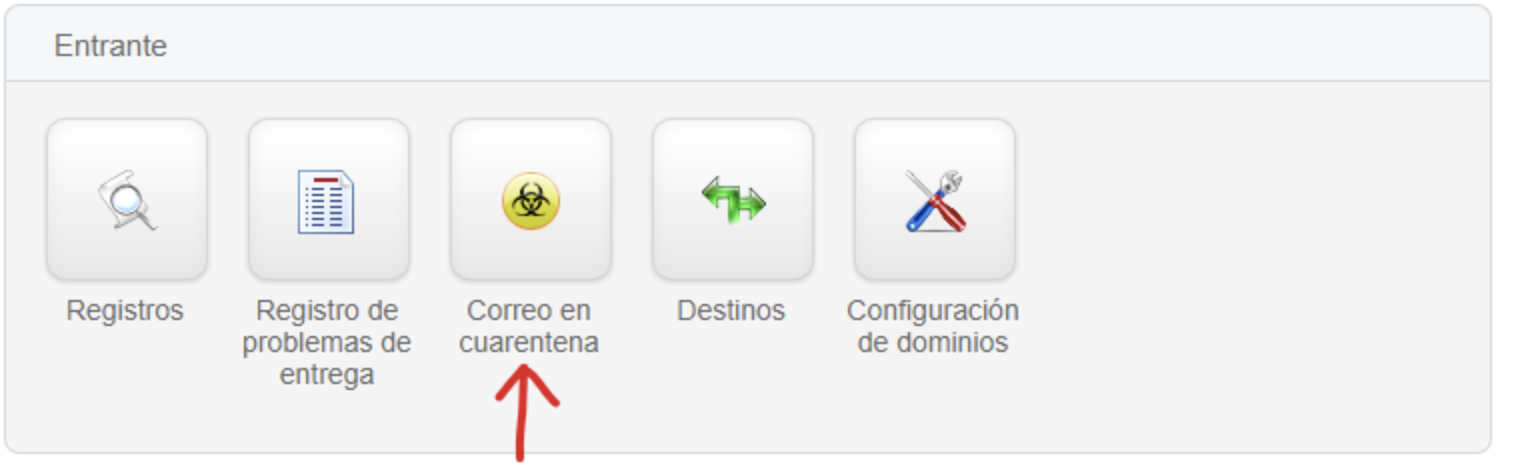
3. Browse the list of quarantined emails and select one of the following options:
- Delete from Quarantine: Permanently deletes the message.
- Release from Quarantine: Delivers the message immediately.
- Release and Train: Delivers the message immediately and teaches the AI not to block this type of message in the future.
- Sender on Whitelist: Ignores AntiSpam detection parameters and always delivers messages from this sender.
- Sender on Blacklist: Permanently blocks messages from this sender, regardless of content.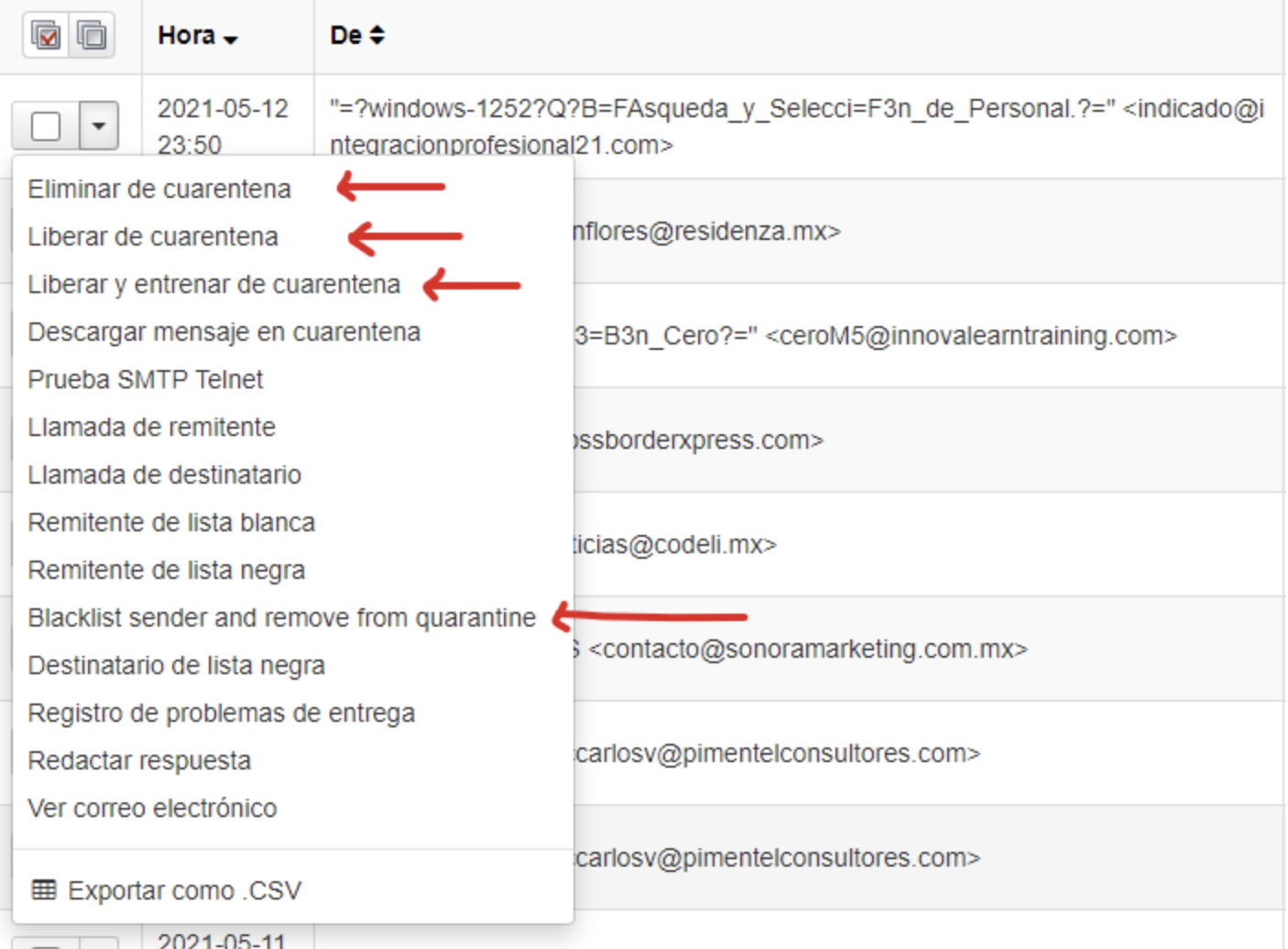
AntiSpam Policy Adjustment
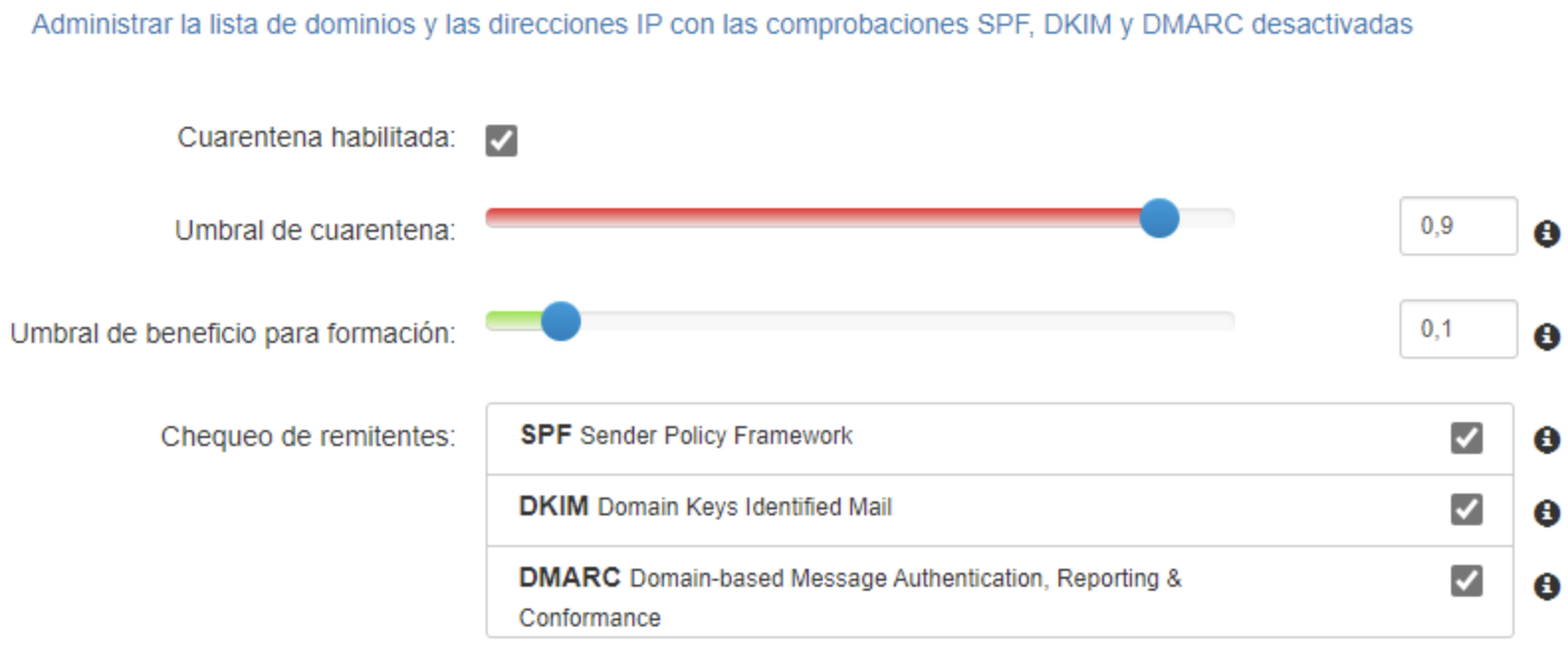
Since spam detection constantly evolves, our AntiSpam service provides a configuration parameter that allows you to adjust how strict spam detection is. It is important to keep in mind that modifying this parameter may have undesired effects.
To adjust this parameter:
- Find the option “Filtering Settings” in the side menu.
Having an AntiSpam service provides a number of significant advantages for any user or company that relies on email as a fundamental part of communication. Among the main takeaways are:
1. Comprehensive Protection: An AntiSpam service provides an additional layer of protection for your inbox, actively filtering and blocking unwanted and potentially dangerous emails, such as phishing or malware.
2. Time Savings: By reducing the amount of spam that reaches the inbox, it minimizes the time spent reviewing and manually deleting these emails, increasing the user’s productivity and efficiency.
3. Improved Productivity: By freeing the inbox from spam, users can focus on important and relevant emails, improving responsiveness and effectiveness when managing communication.
4. Reduced Security Risks: By blocking malicious emails, such as phishing or malware, an AntiSpam service helps protect systems and sensitive data from potential threats and cyberattacks.
5. Improved User Experience: By keeping the inbox clean and spam-free, the user experience improves by avoiding frustration and the loss of time associated with managing unwanted email.
An AntiSpam service not only protects against cyber threats, but also improves efficiency and the user experience by reducing the time spent managing unwanted email.